
Active@ Partition Recovery
Restore accidentally deleted partitions, fix damaged volumes and disks
Active@ Partition Recovery is a freeware toolkit that helps to recover deleted and damaged logical drives and partitions within Windows, WinPE (recovery boot disk) and Linux (recovery LiveCD) environments.
Simple QuickScan easily detects and recovers recently deleted partitions, as long as they were not formatted / overwritten to after deletion
Advanced low-level SuperScan may detect partitions which were deleted a long time ago, even if you have created new ones and even formatted them.
Last Chance recovery method detects and recovers files by their signatures on volumes having severely damaged file systems, where physical volume recovery isn't possible! Recovers NTFS/ReFS, ApFS, FAT/exFAT.
Key Features
Recover partitions and disks
Restores lost partitions and disks back to working state
QuickScan for fast partition recovery
QuickScan easily detects partitions which are deleted but not re-formatted
SuperScan for low-level partition detection
SuperScan uses low-level scan process to detect re-formatted and damaged partitions
Last Chance recovery method
Last Chance technology helps with severely damaged filesystems on volumes
Rollback partitioning changes
Backup and restore disk partitioning info and ability to rollback changes
Fix vital disk structures
Fix damaged Partition Table, MBR (Master Boot Record) and GPT records
On-the-fly recovery
Performs partition recovery on-the-fly (no machine reboot is needed)
Manual mode for advanced users
Manual mode for the correction Volume Boot Sectors provided for advanced users
Unicode and long file names
Supports multi-language characters (unicode) and long file names
Recover to another location
Ability to recover all files and folders from disk images to another location
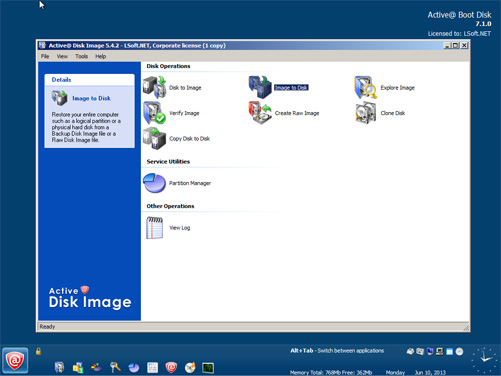
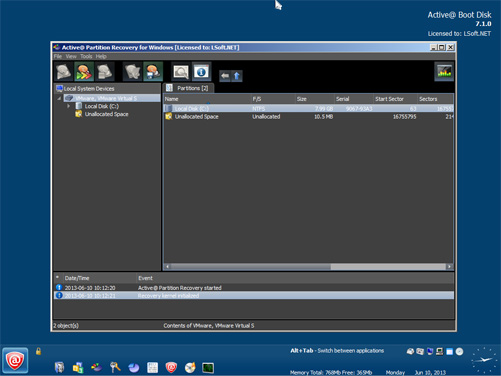
Screenshots

Pricing Table
Please choose the correct version and licensing model according to your business needs
Standard
Windows application, Windows Installer
Licenses:
$
Professional
plus Active@ Disk Editor, LastChance recovery, File Organizer & Copy All Data
Licenses:
$
Ultimate
plus Active@ File Recovery, WinPE-based Boot Disk & Linux-based LiveCD to repair unbootable PCs
Licenses:
$
- Personal license - for non-commercial purposes. The Personal License will be assigned to the individual's name.
- Corporate license - for commercial use. With a Corporate License the company can use the program in a business, academic, or government environment.
- Unlimited license - Business license that provides unlimited worldwide licensing for corporation.