
Company Sold PCs Without Wiping Drives — What Happened Next Was a Disaster
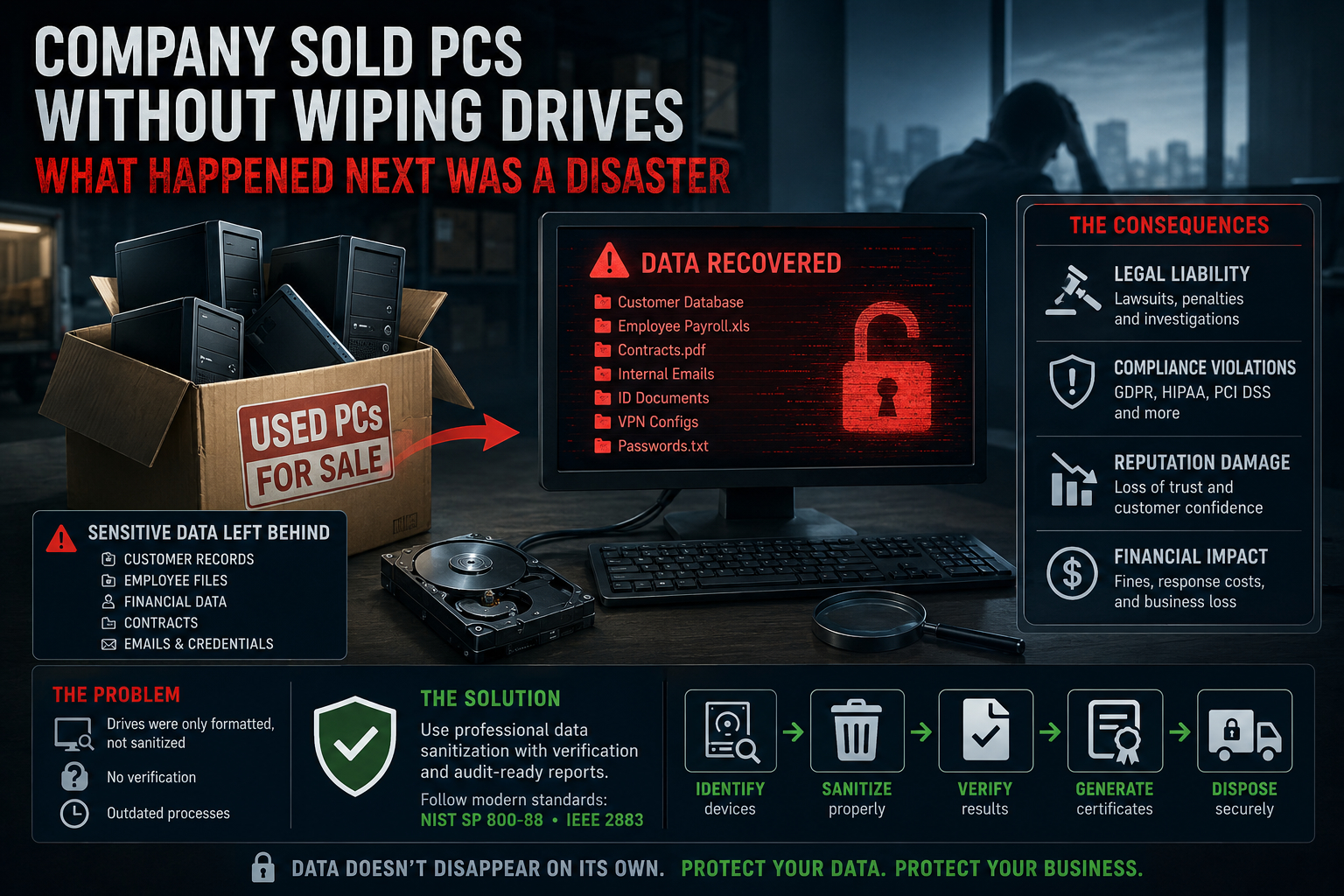
For years, cybersecurity discussions focused on ransomware, phishing attacks, and cloud vulnerabilities. Yet some of the most damaging data breaches still happen in an almost embarrassingly simple way:
Old computers leave the building with sensitive data still inside.
And it happens far more often than many organizations realize.
The “Routine Disposal” That Became a Security Incident
A mid-sized company decided to refresh its office hardware fleet. Hundreds of aging desktops and laptops were removed from service and sent to a third-party reseller for liquidation.
The process seemed harmless:
- IT removed devices from the network
- Drives were “formatted”
- Systems were boxed and shipped
Weeks later, disaster struck.
A buyer purchased one of the used PCs and discovered that the drive still contained:
- employee payroll records
- internal emails
- customer databases
- scanned identity documents
- contracts
- VPN configuration files
- archived spreadsheets
- browser sessions and saved credentials
The company believed the data had been erased.
It had not.
Formatting Is Not Data Sanitization
One of the most dangerous myths in IT remains the belief that:
“Deleting files” or “formatting the drive” removes data.
In reality, standard formatting often removes only file system references while the underlying data remains recoverable.
Even worse:
Modern SSDs and NVMe drives behave very differently from traditional HDDs.
This means many old erasure assumptions no longer apply.
Why This Happens So Often
Many organizations still rely on outdated procedures inherited from the hard-drive era:
- quick format
- reinstalling Windows
- deleting partitions
- old multi-pass overwrite scripts
- undocumented wiping tools
- no verification
- no reporting
In modern enterprise environments, these methods are no longer sufficient.
The SSD Problem Nobody Talks About
Traditional magnetic hard drives overwrite data predictably.
SSDs do not.
Modern SSDs use:
- wear leveling
- block remapping
- overprovisioning
- hidden NAND regions
- internal garbage collection
As a result:
A software overwrite command may never reach all physical memory cells.
This creates a dangerous illusion:
The system reports the drive as erased — while recoverable data may still exist internally.
The Compliance Fallout
Once the leaked systems were analyzed, the company faced a chain reaction of problems:
Regulatory exposure
Depending on industry and geography, violations may trigger:
- GDPR penalties
- HIPAA investigations
- PCI DSS compliance failures
- contractual liability
- mandatory breach disclosure laws
Reputation damage
Customers rarely distinguish between:
- “hacked by attackers” and
- “sold devices with data still on them”
To the public, both are simply:
“The company failed to protect information.”
Legal consequences
Improper disposal often becomes evidence of:
- negligence
- failure of due diligence
- poor cybersecurity governance
Why DoD 5220.22-M Is No Longer Enough
Many organizations still mention the old DoD 5220.22-M overwrite method.
The problem:
That standard originated decades ago for older magnetic storage technologies.
Today’s storage ecosystem includes:
- SSDs
- NVMe devices
- hybrid storage
- flash arrays
- encrypted drives
- cloud-integrated infrastructure
Modern standards such as:
- NIST SP 800-88
- IEEE 2883
focus on:
- media-aware sanitization
- verification
- auditability
- cryptographic erase
- secure firmware commands
- documented chain of custody
This is a major shift away from blind multi-pass overwriting.
Verification Matters More Than Overwrite Count
One of the biggest lessons from modern sanitization standards:
Verification is more important than the number of overwrite passes.
A single verified sanitize operation is often more reliable than seven unverified overwrite passes.
Organizations now require:
- erasure confirmation
- device identification
- serial number tracking
- audit logs
- tamper-resistant reports
- certificates of sanitization
Without documentation, proving compliance becomes extremely difficult.
What Professional Data Sanitization Looks Like
Modern enterprise sanitization workflows typically include:
- Asset inventory
- Device identification
- Media classification
- Appropriate sanitize method selection
- Verification
- Automated reporting
- Certificate generation
- Secure asset disposition
Professional tools such as Active@ KillDisk Industrial automate these processes across large device fleets while supporting modern standards and enterprise auditing requirements.
The Real Cost of Improper Disposal
Replacing computers is expensive.
But leaking customer data is far worse.
The true cost often includes:
- regulatory penalties
- incident response
- forensic investigations
- lawsuits
- reputation damage
- customer churn
- cyber insurance complications
And in many cases, the breach could have been prevented with a proper sanitization workflow.
Final Thoughts
Cybersecurity does not end when a device leaves the office.
In many ways, that is when one of the most dangerous phases begins.
Every retired laptop, SSD, server, or workstation still contains a potential history of the organization:
- customer information
- intellectual property
- credentials
- financial records
- operational secrets
Without verified sanitization, old hardware can become a delayed data breach waiting to happen.
Modern data destruction is no longer just about deleting files.
It is about provable, auditable, standards-compliant sanitization built for modern storage technologies.